Class Years and Archiving
Keep current classes tidy, archive finished cohorts individually, and bring them back whenever you need them.
Classes That Follow the School Year
Leaving Years
Set a leaving year for each class. New classes start with the current year, and the familiar arrow controls make small adjustments quick.
Archive One Class at a Time
Archive a finished class from its own settings. Archived classes stay out of the everyday list until you switch on Show archived.
Easy to Restore
Archived classes keep their identity and data, open read-only for safety, and can be restored to their original name when needed.
Clearer Editors
Class and Project edit buttons now have short delayed tooltips, while year and archive controls use a cleaner compact layout.
Safer Class Changes
Renaming, archiving, restoring, deleting and rolling classes forward now use verified backup-first operations with recovery support.
Also in previous releases
Quality of Life
Individual Printouts
Removed the unlicensed banner from printouts for individual users.
Also in previous releases
Four Things Worth Knowing About
Auto-Grade Works the Way You'd Expect
The automatic grade now uses a weighted average across all your band selections. If most of your ticks are in band A with a couple in band B, the final grade better reflects that overall pattern.
Exports Replace the Previous File
Re-exporting a student PDF now replaces the old file cleanly rather than creating numbered copies. Two students with the same name get consistent filenames every time, so re-running an export always lands in the same place.
Know When There's an Update
A banner now appears below the toolbar whenever a newer version of Marksmith Pro is available. Dismiss it once and it stays quiet for that version — but reappears if there's a further update.
Smoother When Marking Quickly
Clicking through marks quickly is more reliable. Various improvements under the hood to how marks are saved that make the app feel more solid day to day.
Also in this release — everything that shipped in v2.0.3.13 and earlier
Four Things That Make It Better
Remark History Right Where You Need It
Units with older marking rounds now show the date of the current round directly in the selection bar. Click it to open the full history. When viewing an archived round, the bar shows its name so you always know which version you're looking at.
Demo Class Gets Out of the Way
Once you've set up your own classes, the demo class tucks itself out of the dropdown automatically. It's still there if you ever want it — just no longer taking up space when you don't.
Projects Stay Where You Left Them
Switching between units in the same class no longer resets your project selection. The right project stays loaded and the marking grid stays in place — exactly as you'd expect.
UI Scale Works Everywhere
If you use the UI Scale setting, class and project dialogs now size correctly at any zoom level and scroll internally when needed. No more elements drifting off-screen at larger scales.
Also in v2.0.3.13 — everything that shipped in v2.0.3.12 and earlier
Remark History
Mark a class, archive it, then start your remark — your original is still there whenever you need it.
Archive Before You Remark
When it's time to remark, the app saves your current round exactly as it was. Your original marking is kept safe before anything new is touched.
Fresh Round or Carry Forward
Start the new round completely blank, or carry your existing marks across as a starting point. Either way, the previous round stays untouched.
Go Back Any Time
Flip back to any earlier round to check where a student started. First attempt, remark, second remark — all there, all exactly as they were left.
PDFs Stay Separate
Each round exports to its own folder. Your first-round PDFs don't get overwritten when you export the remark. Everything stays organised by round.
No Accidental Changes
Older rounds are locked by default. You can view and export them freely, but nothing gets changed unless you deliberately choose to edit one.
Travels With the Class
Export a class to take home or hand to a colleague — the full remark history comes with it. Import it back and all your rounds are still there.
Also in this release — everything that shipped in v2.0.3.08 and earlier
Six Things Worth Knowing About
Everything Exactly Where You Left It
Switch between classes and projects and everything is organised just as you'd expect. Your marks, your students, your progress — all there, all correct.
Smarter Project Switching
Each class remembers its own projects and opens them automatically when you switch. Perfect when different year groups are working on different units at the same time.
Always Up to Date
Switch to a different class and the student list refreshes instantly — marked, unmarked, everything current. No extra clicks, no waiting.
Even Cleaner on Every Update
The app keeps itself tidy. Each time you update, any old files from previous versions are cleared out automatically so things stay organised in the background.
A Better Built-in Tour
The guided demo is smarter and more self-contained. It walks you through the full workflow with its own class and project, completely separate from your real work — so you can explore without worrying about anything.
General Improvements
A handful of small things across the app that add up to a smoother, more predictable experience day to day.
Also in v2.0.3.08 — everything that shipped in v2.0.3.07 and v2.0.3.06
Six Things That Make It Better
Moveable Comment Banks
Drag your most-used phrases to the top of each heading. Your comments, your order — no more scrolling past the ones you never use to find the ones you always do.
Smarter Backups
Auto-backup now runs automatically so you always have yesterday's state to fall back on. Keep multiple restore points and choose exactly which one to roll back to.
Better Android Sync
The desktop-to-phone handoff is noticeably smoother. Class files transfer more reliably, comment banks arrive intact, and importing marks back to the desktop just works.
Built-in Update Checker
Help → Check for Updates opens a page that tells you in seconds whether there's a newer version available. Simple, quick, no guessing.
Cleaner Print Options
The PDF and print dialogs have been stripped back. Choose exactly what to include — grade, date, student feedback — and export. Fewer clicks, cleaner results every time.
Bug Fixes
Grade calculation edge cases ironed out. Stability improvements throughout. The app is quieter, faster, and less likely to surprise you at the wrong moment.
Also in v2.0.3.06 and v2.0.3
Mark at Home, Bring It to School
Export a class with all its marks and comments, email the file to yourself or save it to your school cloud, keep marking at home, then import it back the next morning. No special accounts, no syncing headaches.
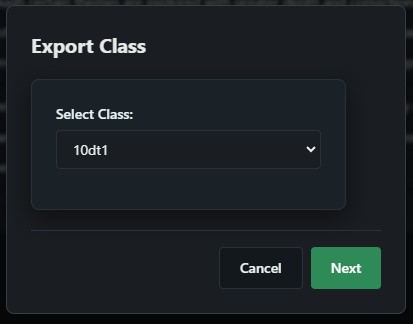
Pick a class to export. Choose which class you want to take with you.
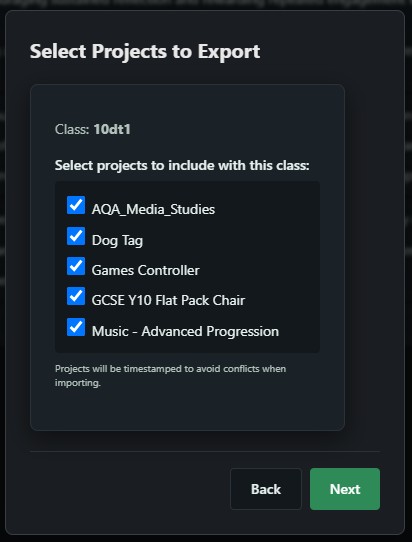
Choose which projects to include. Only export what you need — one project or all of them.
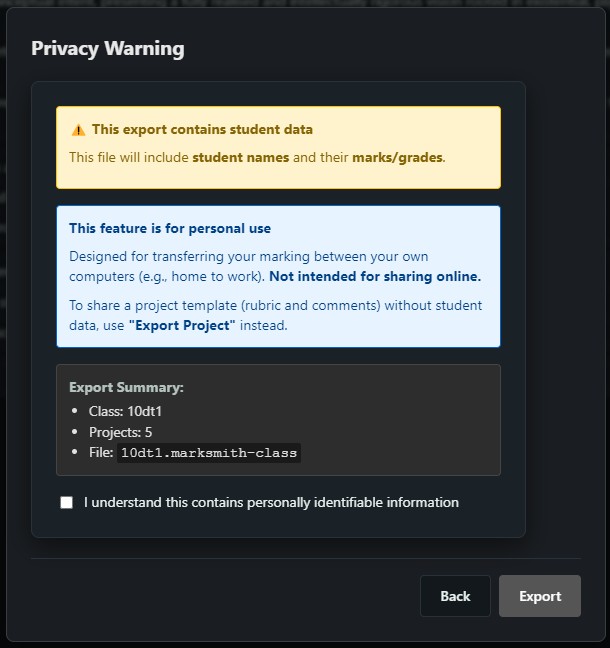
Clear privacy summary. The export shows exactly what's included — student names and marks. Designed for transferring between your own computers, not for sharing online.
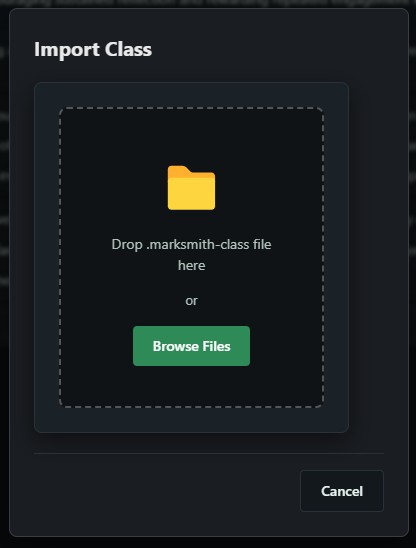
Import with drag and drop. Bring a class file back in by dropping it straight into the app. Your marks, comments and grades are all there.
Share Mark Schemes With Your Department
Spent time building a mark scheme with all the right descriptors and comments? Export it and share it with colleagues. They get the same bands, descriptors and comment bank — but no student data. Consistent marking across your department without everyone having to build the same thing from scratch.
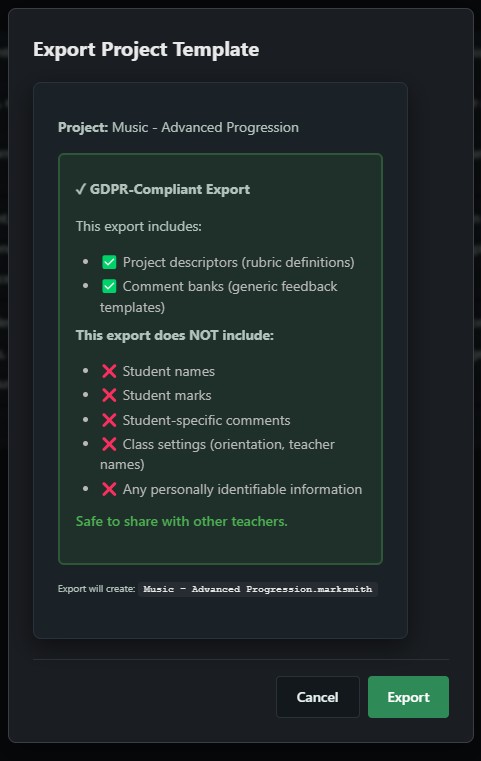
GDPR-compliant sharing. Project exports include your mark scheme descriptors and comment banks only. No student names, no marks, no personal data. Email it to a colleague, drop it on the school shared drive, or post it online.
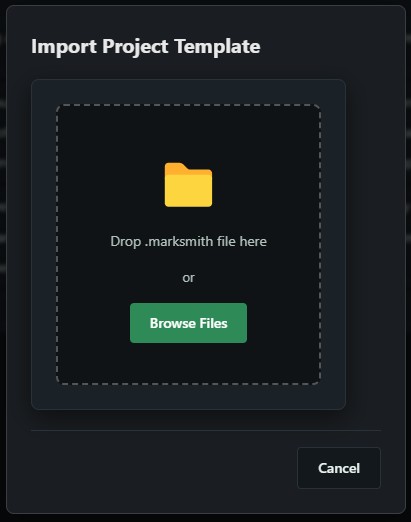
One click to import. A colleague sends you their project file — drop it in, and you've got their mark scheme and comment bank ready to use with your own classes.
Why this matters for departments
Consistency
Everyone marks against the same descriptors. Students get the same language and expectations regardless of which teacher they have.
Save time
One person builds the mark scheme once. The rest of the department imports it in seconds instead of spending an evening typing the same descriptors.
Moderation-ready
When everyone uses the same mark scheme, moderation meetings actually compare like for like. Less arguing about what "good" means.
Never Lose a Year's Marking
Getting a new laptop? Switching classrooms? One backup file saves everything — all your classes, projects, marks and comments. Restore it on any machine and carry on where you left off.
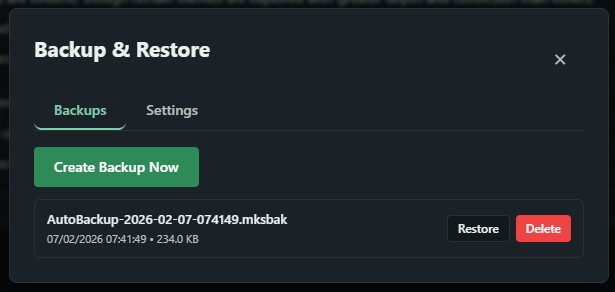
One-click backup
Hit "Create Backup Now" and you get a single file with everything in it. Save it to a USB, your school drive, wherever you keep important things.
Restore any time
New computer? Click restore, pick your backup file, and you're back to exactly where you were. All your classes, all your projects, all your marks.
Cleaner, Faster Interface
The whole interface has been tidied up. Managing classes and editing mark schemes is quicker and easier to navigate, especially if you've got several classes on the go at once.
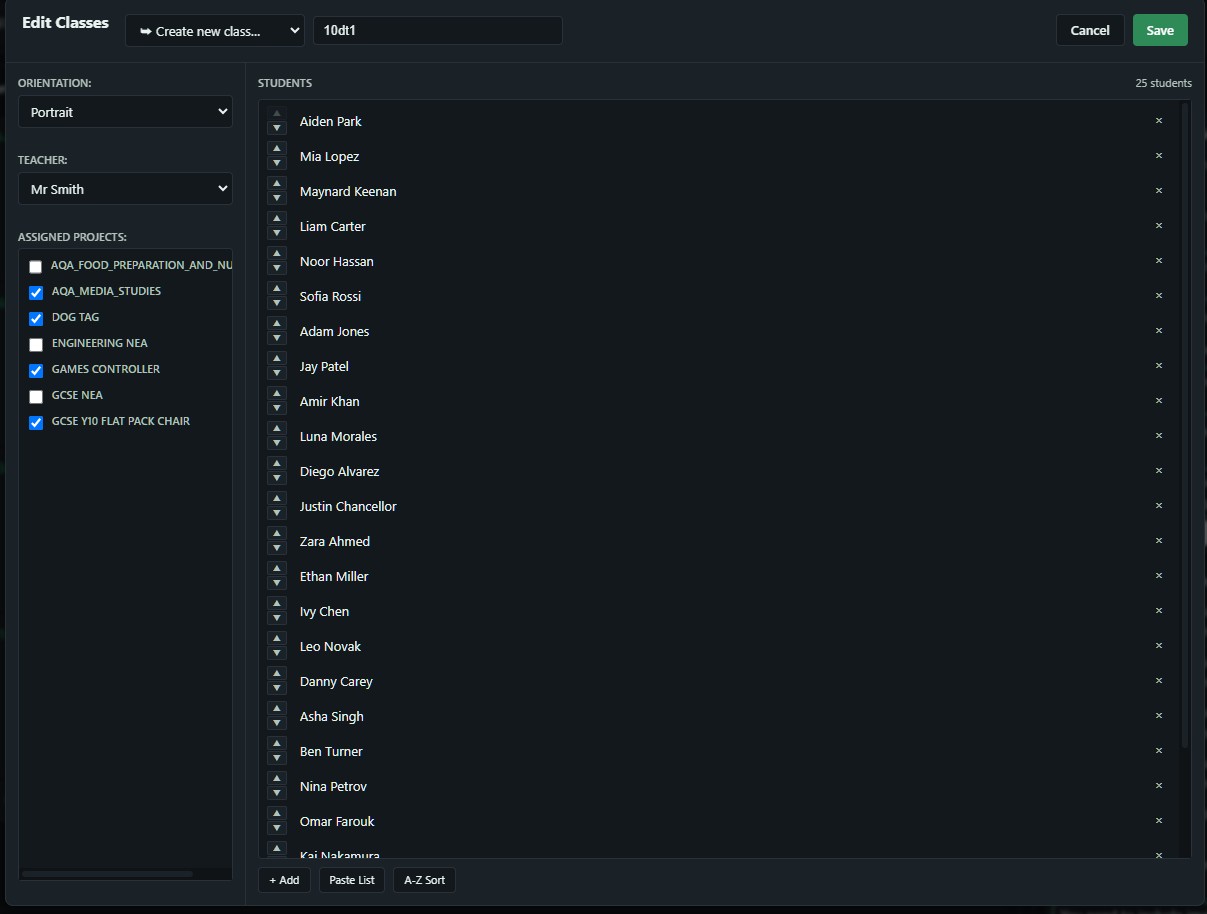
Class management. See all your students, assign projects, paste in a class list, sort alphabetically. Everything in one place.
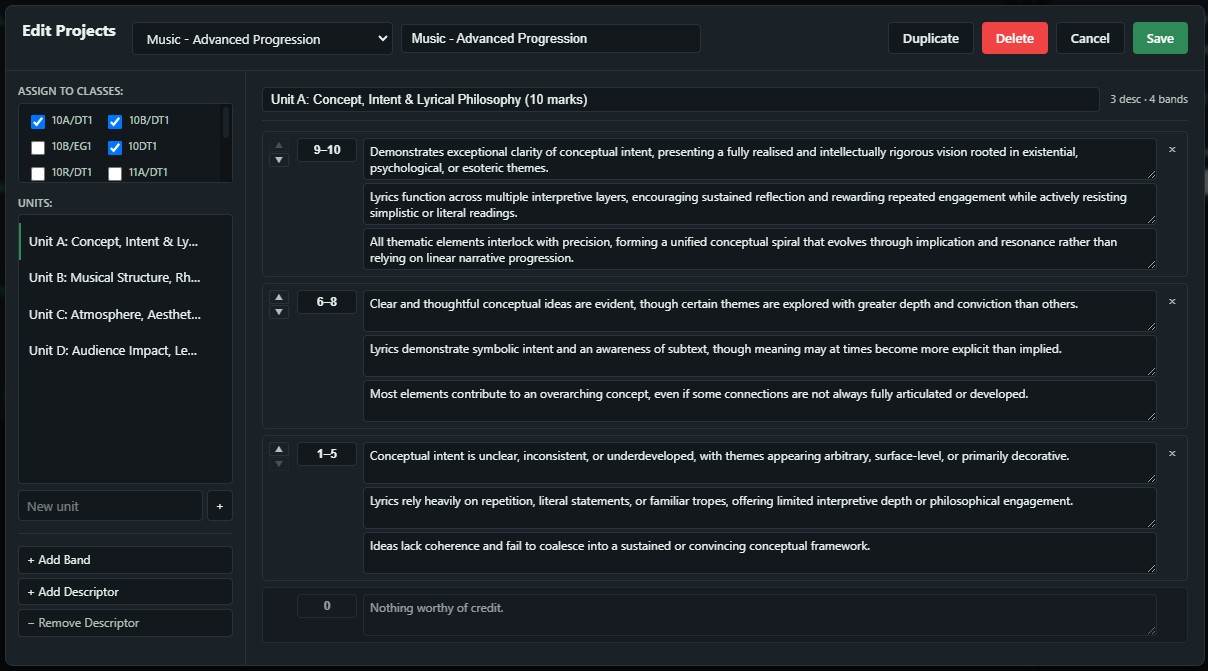
Mark scheme editing. Add bands, write descriptors, assign projects to multiple classes. The layout makes it easy to see your whole mark scheme at a glance.
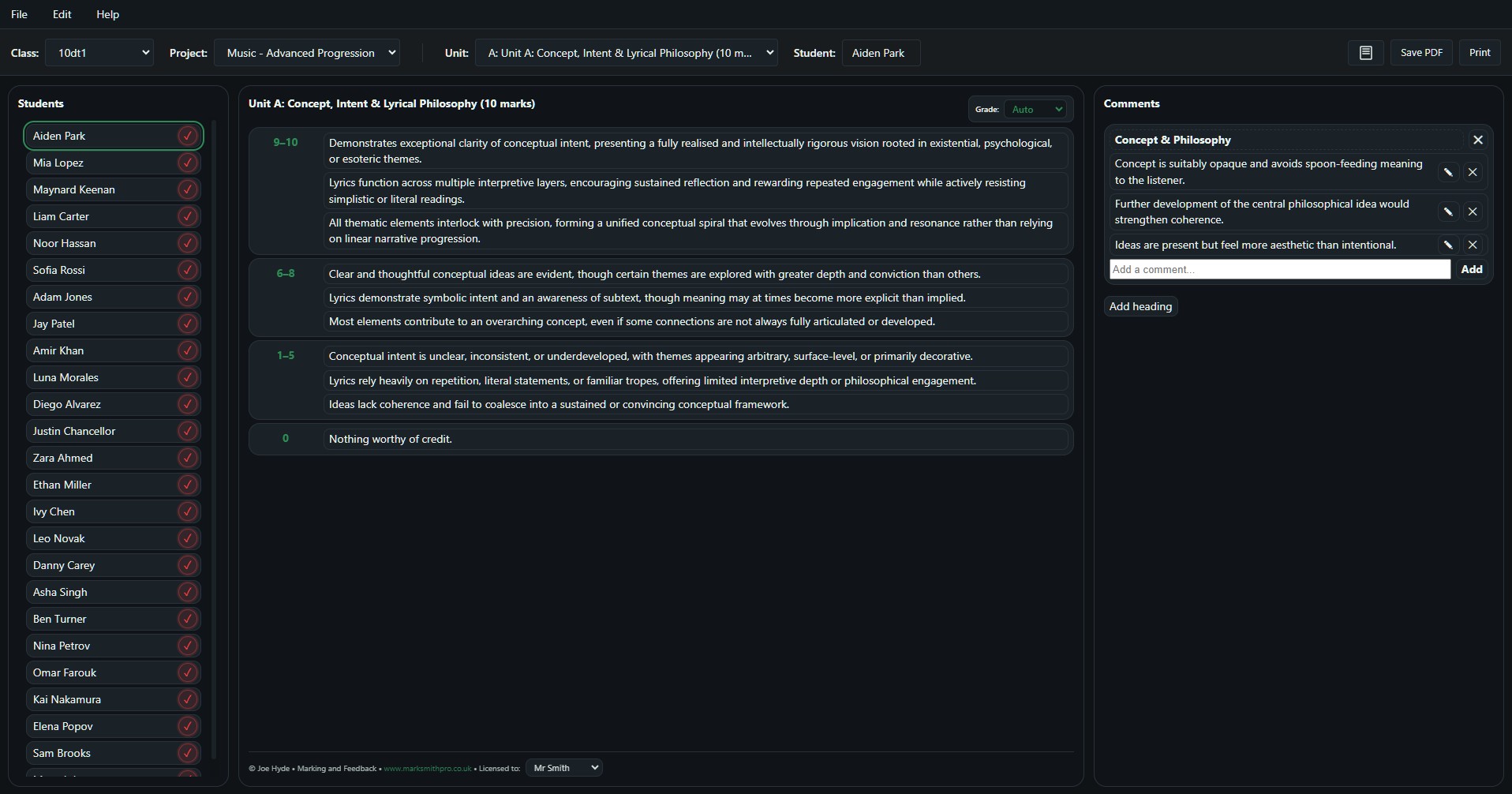
The main marking view. Select a student, click the descriptors that apply, add comments if you want to, and move on. The grade calculates automatically from the bands you've selected.
Try It on Your Next Unit
Download Marksmith Pro and see if it fits the way your department works. Every feature is included, completely free.
Marksmith Insights
A companion tool for heads of department — see whether classes are moving in the same direction, where marking standards are aligned, and what the next improvement conversation should focus on.